24/7 Support Center
+1 952-292-1902

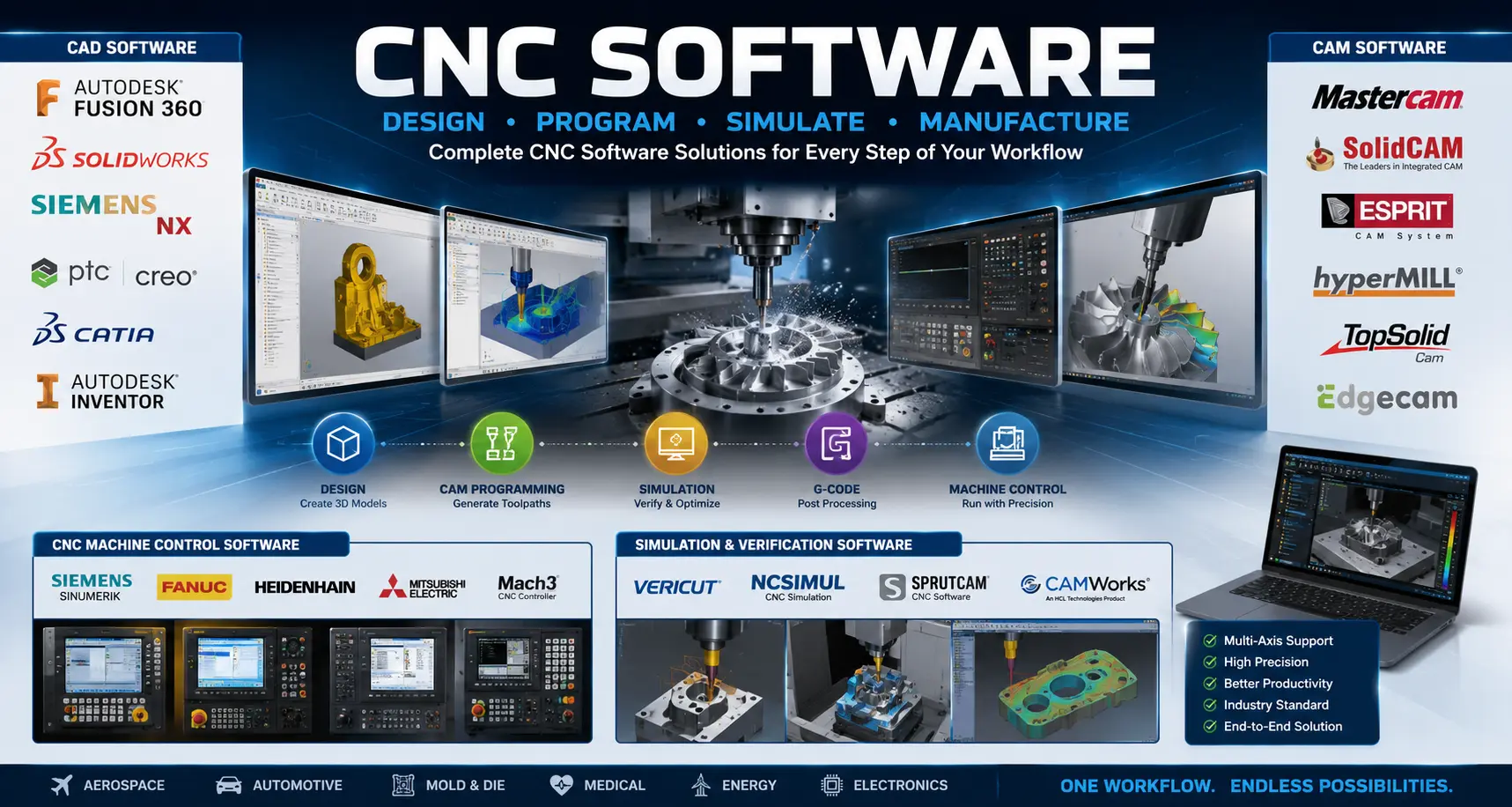 If you are working with CNC machining, you quickly realize one simple truth—without software, the entire process falls apart. From designing a part to actually machining it on a CNC machine, every single step depends on CNC software in one way or another.
In simple terms, CNC software is a set of tools that connects design, programming, simulation, and machine control into one complete workflow. It acts as the backbone of the entire machining industry, making modern manufacturing accurate, fast, and repeatable.
Many beginners even search for “snc software,” but what they actually mean is CNC software. These tools are essential whether you are working in a small workshop or a large-scale industrial production environment.
From hobby-level projects to high-end manufacturing industries, CNC software plays a critical role because it controls everything from the digital design stage all the way to the final machining process.
In this guide, we will break down all types of CNC software in a simple and practical way, just like it is used in real workshops and industrial environments.
CNC software is basically a group of tools that controls the entire machining process—from creating a design to running it on a CNC machine. In simple terms, it acts like a digital link between design, programming, and machine operation.
A CNC process is not just about cutting material. It involves multiple stages, and each stage is handled by different types of software working together to make the whole process accurate and efficient.
To understand CNC software properly, it’s easier to break it into three main parts:
This is where the idea becomes a digital model. You create the part design in 2D or 3D before anything is manufactured.
👉 Simply put, CAD is where you design what you want to make.
CAM software takes the CAD model and converts it into toolpaths. It decides how the machine will move, cut, and shape the material.
👉 In workshop language, CAM tells the machine “how to cut.”
The controller is the system that actually runs the CNC machine. It reads the program and executes real-time movements with precision.
👉 This is basically the “brain” of the machine during operation.
CNC machines do not understand human language. Instead, they follow a special instruction language called G-code.
G-code contains commands like:
👉 In simple terms:
G-code is the language that tells the CNC machine exactly what to do.
👉 Together, these form the complete CNC software system used in modern manufacturing.
👉 “Where the design process begins”
CAD software is where every CNC job starts. Before anything is manufactured, the part is first created in a digital format using CAD tools. This step is all about turning an idea into a proper 2D or 3D model that can later be processed for machining.
Some of the most commonly used CAD software in the CNC industry include:
👉 In simple workshop terms,
these tools are mainly used to design the part before machining begins.
Once the design is ready, it moves to the next stage (CAM), where it gets converted into machining instructions.
👉 “Turning design into something the machine can actually cut”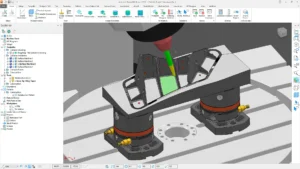
CAM software is the stage where the real machining logic starts. It takes the CAD design and converts it into toolpaths that the CNC machine can follow. In simple terms, it decides how the material will be cut, step by step.
This is one of the most important parts of the entire CNC workflow because even a perfect design won’t work without proper machining instructions.
Some commonly used CAM software in the industry include:
👉 In simple workshop language,
CAM software tells the CNC machine exactly how to cut the material.
👉 “The system that directly runs the machine”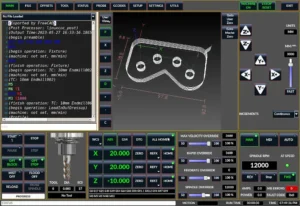
CNC controller software is what actually brings the entire machining process to life. Once the design is prepared and the toolpath is generated, the controller takes over and executes everything on the physical machine in real time.
It reads the program (usually G-code) and controls every movement of the CNC machine with precision—feed rate, spindle speed, axis movement, everything is handled here.
Common CNC controller systems include:
👉 In simple terms,
this is the brain of the CNC machine that controls everything during actual operation.
👉 “The stage where you catch mistakes before they become expensive”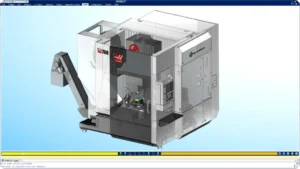
Simulation and G-code software is used to verify everything before the actual machining starts. In real CNC work, one small mistake in the program can damage the tool, the machine, or the material—so this step is extremely important.
These tools let you preview the machining process, check tool movements, and detect collisions or programming errors before anything runs on the real machine.
Common simulation and G-code software includes:
👉 In simple terms,
this stage helps you “run the job virtually” before running it on the real CNC machine, saving both time and material.
👉 “The future of CNC automation and smart manufacturing”
Industry 4.0 and AI-based CNC tools are changing the way modern factories work. Instead of just running machines manually, these systems focus on data, automation, and smart decision-making to improve productivity and reduce downtime.
These tools are not just about machining—they are about understanding how the entire production line is performing in real time and making it more efficient.
Some well-known Industry 4.0 and AI CNC tools include:
👉 In simple terms,
these tools help factories become smarter by automating processes, optimizing toolpaths, and monitoring machine performance in real time.
Understanding CNC software becomes much easier when you look at it as a complete workflow instead of separate tools. In real machining environments, every job follows a fixed digital-to-physical process where each stage depends on the previous one.
👉 In simple terms,
this entire flow is what we call the CNC machining workflow—from digital design to real-world production.
🟩 Wood CNC Router
🟩 Metal CNC Industry
🟩 Industrial Manufacturing
In real production environments, CNC software is not used in a one-size-fits-all way. Different industries rely on different tools depending on the material, precision level, and type of machining work. Understanding this helps you choose the right software instead of just picking popular names.
🟩 Wood CNC Router Industry
Woodworking CNC routers focus more on engraving, carving, and artistic or furniture-based production. The software here is usually easier to use and optimized for creative work.
👉 These tools are widely used for wood carving, sign boards, and furniture design work.
🟩 Metal CNC Industry
Metal machining requires higher precision, stronger toolpath control, and more advanced cutting strategies. This is where professional CAM software becomes essential.
👉 These are commonly used in machining shops for parts made from steel, aluminum, and other metals.
🟩 Industrial Manufacturing
Large-scale manufacturing industries need advanced CAD/CAM systems that can handle complex designs, multi-axis machining, and production-level accuracy.
👉 These software are typically used in aerospace, automotive, and heavy industrial production environments.
When you start working with CNC, one of the first questions is usually—should you go with free software or invest in paid tools? The answer depends on your skill level, purpose, and the type of work you are doing.
Free software is great for learning and practice. It helps beginners understand the basics of CAD, CAM, and CNC programming without any cost. But when you move into real production work, paid software becomes almost unavoidable because of accuracy, advanced features, and industry compatibility.
🧾 Comparison Table
Type | Examples |
Free CNC Software | FreeCAD, LinuxCNC, CAMotics |
Paid CNC Software | SolidWorks, Mastercam, VERICUT |
👉 In simple terms,
free software is perfect for learning, but paid software is essential for professional and industrial CNC work.
In CNC work, most problems don’t come from the machine—they come from software mistakes. Even experienced operators sometimes make small errors that lead to tool damage, wasted material, or failed jobs. Understanding these mistakes can save both time and cost in real production.
⚠️ Wrong CAM Selection
Choosing the wrong CAM software for a specific job is a common issue. Not all CAM tools are suitable for every type of machining, and using the wrong one can create inefficient toolpaths or poor finishing quality.
⚠️ Ignoring Machine Compatibility
Every CNC machine does not support every software output. If the software and machine are not compatible, the generated program may not run correctly or may cause errors during execution.
⚠️ Skipping Simulation
Many users skip the simulation step to save time, but this is one of the biggest mistakes. Without simulation, you cannot detect collisions, tool crashes, or programming errors before actual machining.
⚠️ Wrong Post-Processor Selection
The post-processor converts CAM output into machine-specific G-code. If this is incorrect, even a perfect toolpath will not work properly on the CNC machine.
👉 In simple terms,
most CNC failures happen not because of the machine, but because of avoidable software mistakes.
Choosing the right CNC software really depends on your skill level, the type of work you do, and how deep you are in the machining field. There is no “one best software” for everyone—what works for a beginner may not be enough for industrial production.
Here’s a simple way to understand it based on real-world usage:
🟢 Beginner Level → Fusion 360
If you are just starting out in CNC, Fusion 360 is usually the best choice. It combines CAD, CAM, and even basic simulation in one platform, which makes it much easier to learn the full workflow without switching between multiple tools.
👉 At this stage, the goal is not perfection—it’s understanding how CNC software works from design to G-code.
🟡 Intermediate Level → SolidCAM / Mastercam
Once you understand the basics, you move into more professional environments. This is where software like SolidCAM and Mastercam comes in.
These tools give you better control over toolpaths, machining strategies, and production efficiency. They are widely used in real machine shops and manufacturing setups.
👉 At this level, accuracy, speed, and optimization start to matter more.
🔴 Industrial Level → Siemens NX / ESPRIT
For high-end industrial manufacturing, aerospace, and automotive production, advanced systems like Siemens NX and ESPRIT are used.
These platforms handle complex multi-axis machining, large-scale production workflows, and high-precision engineering requirements.
👉 This is where CNC software becomes part of a full industrial production system, not just a tool.
🧠 Simple Summary
👉 In short, the best CNC software is the one that matches your current level and real-world requirement—not just popularity.
MOLE33 Link Game Online x Cnc Software
MOLE33 Link Game Online x Cnc Software mengajak pembaca meninjau informasi secara lebih cermat. Di halaman ini, MOLE33 dibahas sebagai identitas utama yang muncul bersama topik Cnc Software. Penyajian tersebut membantu pembaca mengenali unsur judul dan tujuan informasi sebelum menilai isi lebih jauh.
Fokus pembahasan diarahkan pada cara membaca informasi tanpa kesimpulan terburu-buru. Istilah Link Game Online dan tema Cnc Software ditempatkan dalam konteks yang jelas, bukan dianggap sebagai bukti adanya hubungan bisnis atau layanan resmi. Pembaca tetap dapat menilai mana informasi yang relevan dan mana yang memerlukan pemeriksaan lanjutan.
Jika Anda ingin memahami bagaimana MOLE33 disajikan dalam konteks www.mycncline.com, periksa kembali rincian halaman dan sumber informasi yang tersedia. Dengan begitu, Anda dapat membaca ringkasannya secara lebih terukur dan mengambil kesimpulan berdasarkan informasi yang benar-benar ada.